Free TIFF Combiner
Secure Windows Desktop Application to combine TIFF files
Combine Locally with Full Offline Security
Ultra-Fast Performance
Efficient Batch Combining
Versatile Combining Options
Rearrange TIFF Pages Before Combining
Easily manage and combine your multi-page TIFF files with our powerful desktop software, exclusively designed for Windows users. This TIFF combiner functions entirely offline, ensuring maximum data privacy and security. Without requiring an internet connection, you can securely combine your files locally, safeguarding them from potential security risks and unauthorized access.
Lightning-Fast and Dependable TIFF CombiningAchieve rapid and reliable TIFF combining with our cutting-edge software. Whether you're working from home, in the office, or on the go, merge your multi-page TIFF files into a single document in mere seconds—all without needing an internet connection. Stay productive with swift and efficient combining wherever you are.
Streamlined Batch TIFF CombiningSimplify your workflow by combining multiple TIFF files in one easy step. Our batch combining feature enables you to process large volumes of files quickly and efficiently, eliminating the hassle of merging documents one by one. Whether handling a few TIFFs or thousands, our software makes bulk combining stress-free and time-saving.
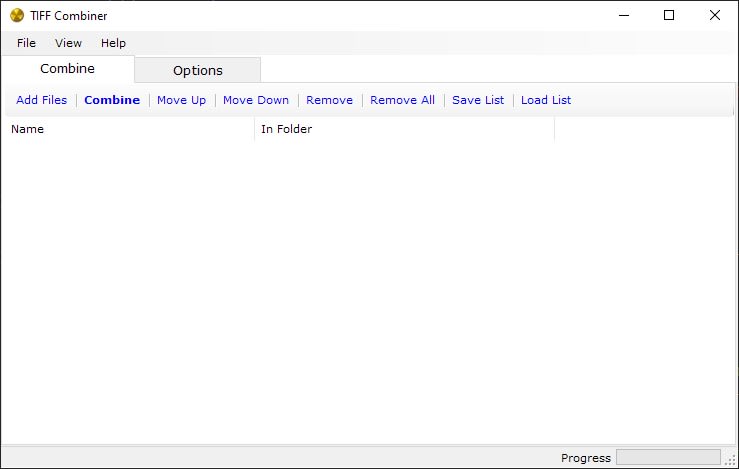
Optimized for High-Volume TIFF CombiningPerfect for handling high-volume tasks, our TIFF combiner is built to manage bulk processing with ease. Whether you're combining a handful of multi-page TIFFs or overseeing large-scale projects, this robust software ensures fast and efficient merging. Simply add your files or folders into the combiner, adjust your settings, and hit "Combine"—your TIFF files will be seamlessly merged into a single high-quality document in no time.
Customizable Combining Options for Total ControlGain complete control over how your TIFF files are merged with our flexible combining options. Before combining, you can easily rearrange the order of your TIFF files to ensure they appear exactly as you need in the final document. Whether you're organizing pages for a presentation, adjusting the sequence for a project, or simply customizing the layout, our software provides the tools to fine-tune your TIFF files with precision before merging them into a single, cohesive file.
Why Combine Multi-Page TIFFs?While individual TIFF files are useful in certain contexts, combining them into a single multi-page document offers greater convenience for archiving, sharing, and managing large documents. Whether for online use, design work, or presentations, merging your TIFFs into a single document provides enhanced versatility and ease of use.
ConclusionOur TIFF Combiner for Windows combines speed, security, and user-friendliness into one powerful tool. Whether you're merging a few files or managing large-scale projects, this software delivers the flexibility and efficiency you require. Don't settle for less—download the top TIFF Combiner for Windows today and enjoy seamless, high-quality file merging.
License Pricing
Lifetime license with one-time purchase | Free upgrades | 15-day money-back guarantee | Secure payments via FastSpring
Secure Payments via FastSpring
We partner with Bright Market, LLC, dba FastSpring, located at 801 Garden St., Santa Barbara, CA 93101, USA, for secure and efficient payment processing. Once your order is complete, FastSpring will immediately send a license key to the email address associated with your order. To activate your license, simply enter the key in the app. For your privacy, FastSpring does not share any sensitive payment information, such as credit card details, with us. Your transaction is completely secure.
One-Time Purchase with Lifetime License
Enjoy a lifetime of access with just a one-time purchase of our JPG to PDF converter. Once you’ve acquired the license, there are no recurring fees or subscriptions. This lifetime license provides you unlimited use of our powerful conversion tools, making it a valuable, long-term investment for users who frequently work with image to PDF conversions.
Free Lifetime Upgrades
Stay up-to-date with all the latest features and enhancements, free of charge. Our lifetime license includes complimentary upgrades, ensuring you always have access to the most optimized and advanced version of our converter. Whether it’s new settings, increased speed, or enhanced usability, you’ll receive every improvement at no additional cost.
15-Day Money-Back Guarantee
We're confident you'll find our converter indispensable, but we understand that every user's needs are different. That's why we offer a 15-day money-back guarantee with your purchase. Try the software, explore its features, and if you're not fully satisfied, we'll gladly refund your payment within this period — no questions asked.